How to Turn Prompts Into Full Songs: Text to Music
Mar 8, 2026

Not long ago, making a song meant booking studio time, hiring musicians, or at minimum spending hours with digital audio workstations. Professionals in the industry needed a degree to understand. Now you can type a sentence and have a finished track in under a minute. Text-to-music AI has quietly become one of the most exciting creative tools available, and it's catching the attention of content creators, indie filmmakers, game developers, and curious hobbyists alike, especially when those tracks come out royalty-free. But how does it actually work? And more importantly, how do you write prompts that get you music you'll actually want to use? Let's break it down.
Introduction
Text to music is basically used an AI model generates audio based on your description. The technology has evolved rapidly. Early tools could produce basic loops or simple chord progressions. Today's models can generate full compositions with distinct verses, hooks, and instrumentation, some of them sounding genuinely polished.
Under the hood, these systems are trained on massive datasets of music and text pairs. They learn relationships between descriptive language "melancholic piano," "driving 80s synth," "lo-fi with rain sound" and the actual sonic qualities those words represent. When you type a prompt, the model interprets it and builds audio that matches the vibe you described.
This is fundamentally different from stock music libraries. You're not browsing for something close to what you need. You're generating something tailored to your exact vision, if it misses the mark, you can refine the prompt and try again.
The phrase "royalty-free" carries a lot of weight for anyone who creates content professionally or semi-professionally. Traditional licensing can be complicated you buy a track, but the rights are messy, the platform claims it, or you get a copyright strike on a video you spent 40 hours editing. Royalty-free AI songs sidestep most of that friction. Since the audio is generated fresh rather than reproduced from a copyrighted recording, the usage rights are generally much cleaner. Most AI music platforms offer tracks that are free to use in YouTube videos, podcasts, social content, short films, and commercial projects sometimes with a simple attribution, sometimes with no strings attached at all.
This matters enormously for small creators who can't afford licensing fees but still want their content to feel professional. It matters for game developers who need hours of adaptive background music. It matters for marketers who need quick turnaround on video ads without legal headaches.
Here's where most people go wrong: they write vague prompts and then wonder why the output sounds generic. "Happy background music" will get you something technically happy, but it won't be interesting. Specific, layered prompts are what separate forgettable output from something worth keeping.
Layer Your Descriptors
A strong music prompt typically covers four things: genre or style, mood or emotion, instrumentation, and tempo or energy level. "Cinematic orchestral, tense and building, heavy strings and brass, slow tempo with a dramatic swell" gives the AI a lot more to work with than "tense music for a film."
Reference Eras and Scenes
AI music models respond well to contextual references. Phrases like "sounds like a late 90s coffee shop playlist" or "the kind of music that plays in a retro 80s sci-fi opening scene" give the model stylistic anchors. You're essentially cueing up a very specific aesthetic memory, and the model draws on patterns it learned from music associated with those vibes.
Specify Structure When It Matters
If you need a track with a defined arc a quiet intro, a building middle, a loud release say that. Some platforms let you describe the song's emotional journey beat by beat, and this kind of structural prompting dramatically improves how usable the final track is for video or presentation work.
A Few Tools Worth Knowing About
The text to music space has gotten crowded fast, with platforms ranging from simple generators to full creative suites. Two names that come up often are Suno and Fish Audio.
Suno has become well-known for generating complete songs vocals, lyrics, and instrumentation from a single text prompt. It's accessible enough for people with no musical background and generates results that, in some cases, are genuinely hard to distinguish from human-made demos. Its outputs lean toward structured pop and genre music, and it's become a popular entry point for creators wanting full produced tracks quickly.
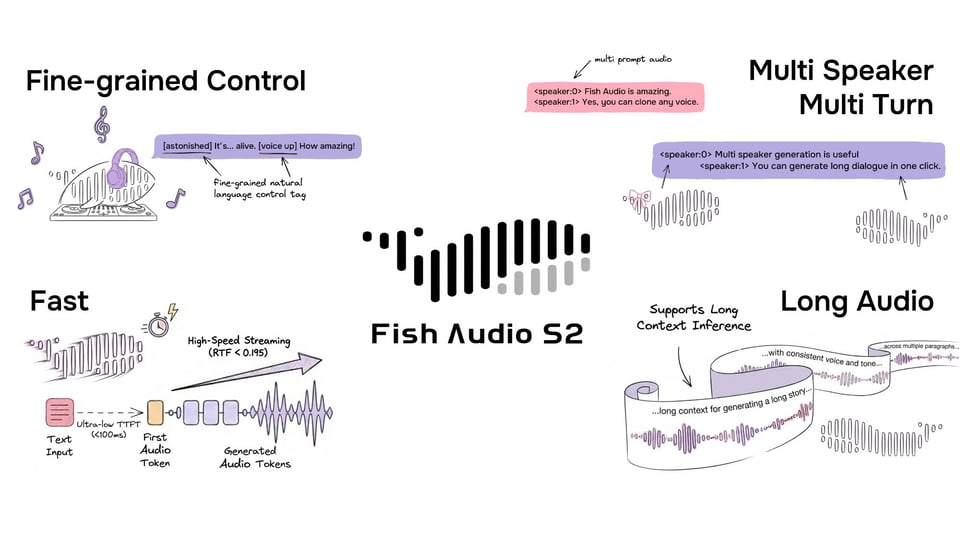
Fish Audio takes a different angle. At its core, it is a platform built around high-quality voice cloning and text-to-speech synthesis, but it has expanded into broader audio generation territory. One of its standout features is the ability to clone a voice from a short audio sample and then use that voice to generate new speech, narration, or sung vocals. This makes it particularly useful for creators who want consistency across projects, like a podcast host who wants an AI voice that genuinely sounds like them, or a developer building a voice assistant with a specific personality.
Fish Audio also hosts a marketplace of community-shared voice models, which means you can browse voices created and uploaded by other users and apply them to your own projects. It skews more toward developers and technically inclined creators than casual users, with API access being a key part of its appeal. If you are building a product or workflow that needs programmatic audio generation, Fish Audio gives you the infrastructure to plug that in cleanly.
Both are worth exploring depending on what you need. Suno is great for quickly producing finished-sounding music. Fish Audio is better suited for those who want to build around or customize the generation process more deeply.
Iterating Your Way to Something Good
One thing new users often don't realize is that generating AI music is an iterative process, not a one-shot deal. Your first output probably won't be perfect and that's fine. Treat the first generation as a rough draft that tells you what to adjust.
If the mood isn't right, add more emotional descriptors. If the tempo feels off, describe the energy differently "urgent and quick" versus "slow and deliberate" will produce very different results even within the same genre. If an instrument is drowning out everything else, explicitly note the balance you're going for: "piano-forward with subtle backing strings."
Conclusion
Think of it like working with a session musician who has infinite patience and no ego. You can ask for the same thing five different ways until you land on exactly what you were hearing in your head.
Text-to-music AI isn't just a novelty it is already being used in real, practical workflows. YouTube creators are generating custom background scores that match the emotional tone of each segment. Podcasters are creating theme music and transition stingers without hiring composers. Indie game developers are building hours of adaptive ambient music that shifts based on gameplay.
On the business side, marketing teams are using it for quick ad mockups, brand pitch presentations, and social content. Therapists and wellness app developers are generating calming or focus-enhancing soundscapes. Even educators are exploring it for creating engaging audio environments for online courses.